Procedural electric arcs in Blender
Arc Forge · Procedural Electric Arc Generator
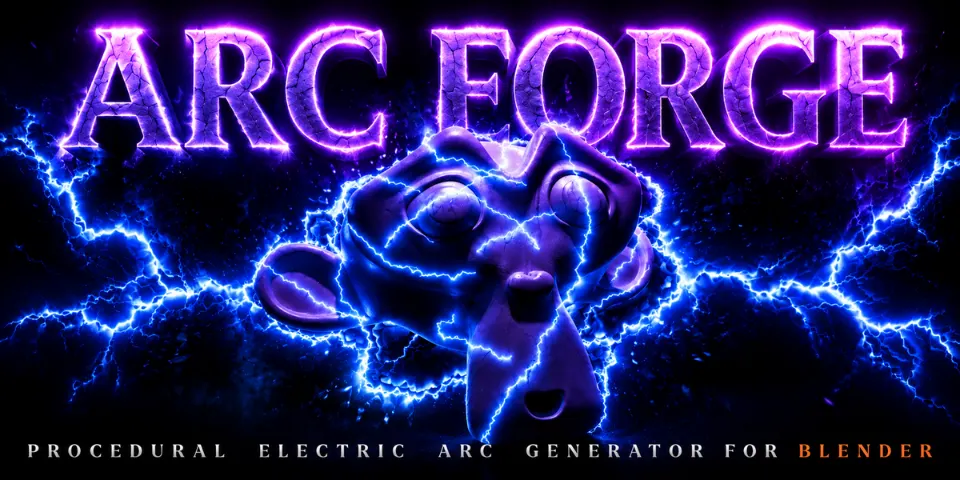
Apply Arc Forge to a mesh and it is wrapped in flickering electric arcs that follow its surface and are animated from the start.
What is Arc Forge?
Electricity is awkward to fake. Hand-drawn bolts look flat, and a crackling setup built in nodes is a project of its own. Arc Forge is a Geometry Nodes generator that does this around whatever mesh you give it. The arcs adapt to the shape of the surface and come out already animated, so a sphere, a character or a product all get the same treatment.
Seven settings in the modifier panel control the look: overall size, arc thickness, the arc material, flicker speed, a minimum and maximum movement speed, and a seed for new patterns. The effect is non-destructive, so your original mesh is never changed, and it is ready to use from the Asset Browser.
What you can make with Arc Forge
Sci-fi energy and shields
Charge an energy shield, a power core or a sci-fi prop with crackling arcs.
Magic and fantasy
Surround a staff, an orb or a character with arcs in the colour of your material for spell effects.
Product renders and motion graphics
Electrify a product shot or a logo mesh with arcs that hug the object's shape.
Lightning and plasma VFX
Add lightning and plasma to cinematic shots where the energy needs to stay on an object.
How it works
Apply
Take Arc Forge from the Asset Browser and apply it to any mesh object.
Shape
Set Size and Arc Thickness, assign a material and try seeds until the pattern looks right.
Time it
Adjust Flicker Speed and the Arc Speed Min and Max values to make the energy calm or restless, then render.
Tips for better results
- Give the arcs an emission material in the Material slot to make them glow, and use a different colour per object.
- Use a different seed on duplicated objects so neighbouring arcs do not repeat the same pattern.
- Keep Arc Speed Min and Max close together for an even rhythm, or further apart for more varied movement.
- Size scales the whole arc system, so set it first to match your object, then fine-tune Arc Thickness.
- Blender
- 4.0–5.2
- Type
- Geometry Nodes
- Category
- Geometry Nodes
- Sold on
- Superhive
Arc Forge questions
Are the arcs animated?
Yes. They are generated already animated; Flicker Speed and the Arc Speed values set how fast they move and refresh.
Which Blender versions are supported?
Blender 4.0 to 5.2. Blender 5.1 or newer is recommended.
Does it change my mesh?
No. Arc Forge is non-destructive and leaves the original mesh as it is.
Can I change the colour of the arcs?
Yes. The arcs use the material you assign in the Material slot, so the colour is up to you.
Arc Forge on Superhive
One-click animated electric arcs around any object for lightning, plasma and sci-fi energy effects.