Drag-and-drop Geometry Nodes effects for Blender
Procedural Generator Bundle · 10 Geometry Nodes Generators
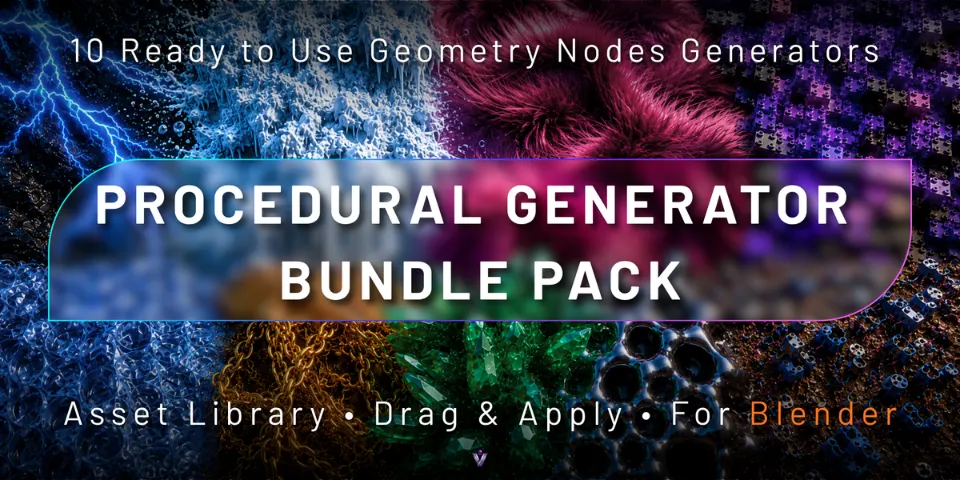
Ten procedural generators in one Asset Library. Drag one onto an object, then shape the fur, ice, crystals, chains or liquid from the modifier panel.
What is Procedural Generator Bundle?
Building a fur, ice or chain setup in Geometry Nodes from scratch takes time, and rebuilding it for the next project takes more. Procedural Generator Bundle collects ten finished systems in a Blender Asset Library, so the effect you need is one drag away instead of a full node tree away.
Each generator is a non-destructive modifier with its controls exposed in the modifier panel, such as size, density, seed, length and material, depending on the generator. The set covers electric arcs, toy-brick structures, bubble wrap, chain wrap, crystals, droplets, freezing, fur, liquid and trash scatter, and it works with Cycles and EEVEE.
What you can make with Procedural Generator Bundle
Product and motion design
Wrap a product or a logo mesh in bubble wrap, chains or droplets for a quick stylised look.
Fantasy and sci-fi shots
Electric arcs, crystal formations and frozen surfaces for magic, energy and winter scenes.
Characters and props
Grow adjustable fur with direction and variation controls on a character, a toy or a prop.
Environment detail
Scatter trash and debris across streets and surfaces, or give a plain form a stylised liquid look.
How it works
Browse
Open Blender's Asset Browser and choose one of the ten generators from the library.
Drag and apply
Drag the asset into your scene and apply the generator to the object you want to change.
Customise
Tune the exposed settings in the modifier panel. The effect is non-destructive, so you can keep adjusting it.
Tips for better results
- Apply object scale with Ctrl + A > Scale before adding certain generators, for more consistent results.
- Object dimensions, mesh density, topology and surface direction all change the outcome; if a result looks off, check those before the settings.
- Change the seed to get a new variation of the same effect without touching the other values.
- Blender
- 4.0–5.2
- Type
- Bundle
- Category
- Geometry Nodes
- Sold on
- Superhive
Procedural Generator Bundle questions
Which generators are included?
Arc, Brick, Bubble Wrap, Chain Wrap, Crystal, Droplet, Freezing Effect, Fur, Liquid and Trash Scatter generators.
Which Blender versions are supported?
Blender 4.0 to 5.2.
Do I need to edit nodes?
No. Each generator exposes its controls in the modifier panel, so you can adjust it there.
Does it work in Cycles and EEVEE?
Yes, the generators work with both render engines.
Will it work on my own models?
Yes, the generators are made to run on your own compatible meshes. How a result looks depends on the object's scale and dimensions, its topology and mesh density, and which way its surfaces face.
Procedural Generator Bundle on Superhive
Ten drag-and-apply generators in one pack: liquid, fur, crystals, freezing, chains, droplets, bricks, trash scatter and more.