Draw volumetric clouds in Blender
Cloud Sketch · Draw Volumetric Clouds
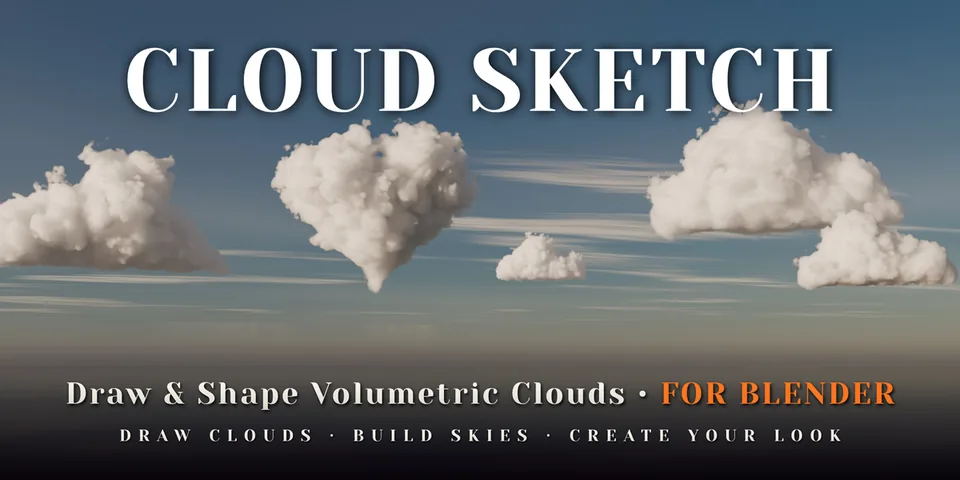
Sketch an outline over your scene and Cloud Sketch inflates it into a soft, renderable volumetric cloud, with every setting live in the viewport.
What is Cloud Sketch?
Clouds are usually the part of a shot you settle for: an HDRI that almost fits, a VDB that is the wrong shape, or a noise volume that takes an afternoon to art-direct. Cloud Sketch starts from the shape you have in mind. Draw a closed outline in the 3D viewport, release, and the outline is inflated into a cloud that is deep where the shape is wide and slender where it is thin.
The same add-on turns existing meshes, text and curves into clouds, adds ready-made clouds from a library of 68, and can build a complete sky with sun, atmosphere and haze around your camera. Nothing is baked or cached: the shader computes the cloud at render time, so every change shows up straight away.
 WATCH THE VIDEO
What you can make with Cloud Sketch
Hero clouds with a story
A heart over a wedding scene, an animal shape for a children's film, a towering cumulus framing a mountain.
Logos and lettering in the sky
Model to Cloud turns a text object or logo mesh into a cloud of the same shape that stays linked to it.
Full skies for landscapes
Build Sky sets up clouds, sun, atmosphere and haze for one of nine weather presets around the active camera.
Animated weather
Grow clouds out of thin air, let the billows boil with Evolve and move the sun from sunrise to sunset.
How it works
Draw or pick
Sketch a shape with Draw Clouds, convert a selected model with Model to Cloud, or add a library cloud at the 3D cursor.
Shape it live
Adjust Puffiness, Detail, Wisps, Softness and Density in the sidebar while the Rendered viewport updates.
Light and animate
Set the time of day, pick an atmosphere preset and keyframe any value. Render in Cycles or EEVEE.
Tips for better results
- Use Cycles for final renders; EEVEE is fine for previews and stylised looks.
- A GPU with OptiX, CUDA, HIP or Metal makes volume rendering much faster.
- Lay out a sky in Solid mode first - each cloud shows as a soft white pillow, so you can compose without rendering.
- Turn on Swell when converting thin models so narrow parts do not break up.
- Blender
- 5.0–5.2
- Type
- Add-on
- Category
- Lighting & Sky
- Sold on
- Superhive
Cloud Sketch questions
Do I need VDB files or a simulation?
No. Cloud Sketch builds clouds from a shape and calculates them in the shader at render time, so there is nothing to bake or cache.
Which Blender versions are supported?
Blender 5.0 or newer; it is tested on 5.0, 5.1 and 5.2 LTS.
Can I animate the clouds?
Yes. Every cloud setting can be keyframed, and there are one-click tools to animate formation, evolving billows, drifting high clouds and the sun's path.
Does it work with my own HDRI and lights?
Yes. The built-in sun and atmosphere are optional; your own HDRI and lights work too.
Cloud Sketch on Superhive
Draw any shape in the viewport and it becomes a volumetric cloud. Turn models into clouds, pick from 68 procedural clouds or build a whole sky in one click.