Gobo lights and patterned shadows in Blender
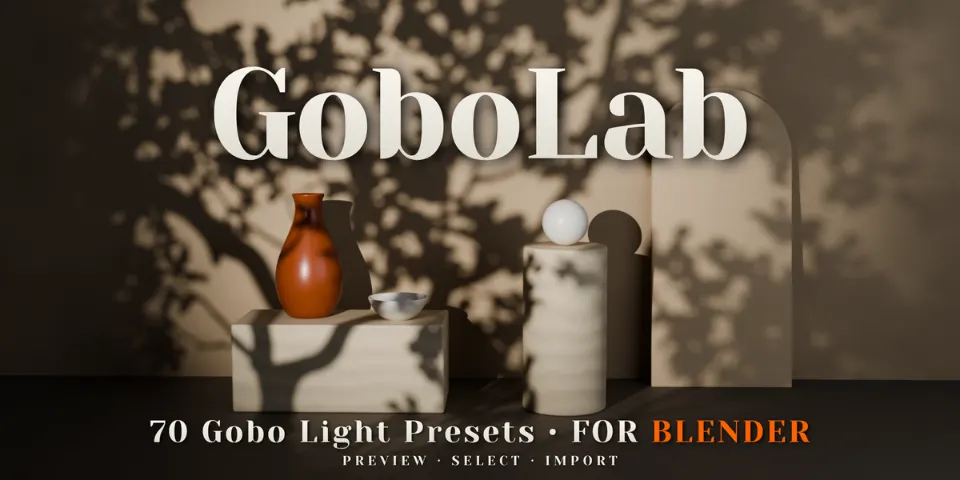
GoboLab · 70 Gobo Light Presets
Pick a pattern, import it and aim it. Each of GoboLab's 70 presets is a Spot Light with its own gobo plane, ready to throw window frames, branches or caustics across your scene.
What is GoboLab?
A gobo is a cut-out placed in front of a light so it casts a pattern instead of a plain pool of light. Building one by hand means making a plane, texturing it and keeping it lined up with the lamp every time you move it. GoboLab gives you 70 finished setups across foliage, windows, blinds, water caustics, sky, abstract shapes and stained glass.
Each gobo plane is parented to its Spot Light and resizes when you change the spot angle, so the light cone stays covered while you adjust. The plane is hidden from the camera and from reflections, and the pattern follows whatever surfaces it lands on, from walls and floors to furniture and characters.
What you can make with GoboLab
Interiors and architectural visualization
Window frames and blinds laid across floors and walls to suggest sunlight coming into the room.
Product renders
A soft leaf or stripe pattern on the backdrop to break up a plain studio setup.
Environment art and cinematic shots
Dappled foliage, water caustics or cloud shadows falling over a set or a character.
Colored light
Seven stained-glass presets for full-color projections in Cycles.
How it works
Browse
Open GoboLab in the sidebar and click Load Gobo Light to choose from the visual preview, or drag a preset in from the Asset Browser.
Import and aim
Click Import Gobo Light and point the Spot Light at your subject. The gobo plane moves and rotates with it.
Fine-tune
Adjust Power, Color, Blend, Angle and Radius until the pattern sits where you want it in the shot.
Tips for better results
- Keep the light radius small, around 0.01-0.02 m, for crisp window shadows, and scale it to suit your scene.
- Warm the light to around 4500 K and bring it in at a low angle for a sunlit feel.
- Layer several gobo lights with different patterns in one shot.
- When dragging from the Asset Browser, turn off Instance in the import panel if you want to edit the light and plane.
- Blender
- 5.0–5.2
- Type
- Add-on
- Category
- Lighting & Sky
- Sold on
- Superhive
GoboLab questions
Does it work in EEVEE?
Yes. Black-and-white gobos work in Cycles and EEVEE, but the stained-glass presets show their color only in Cycles and project in grayscale in EEVEE. In EEVEE, soft clouds and caustics may need 128-256 render samples to reduce grain.
Which Blender versions are supported?
Blender 5.0 or newer; GoboLab is tested in Blender 5.2.
Will the gobo plane show up in my render?
No. The plane is hidden from the camera and from reflections and only shapes the light.
Are the gobo textures included?
Yes. All 70 patterns are included as 1024 x 1024 PNG files.
How do I use the Asset Browser library?
Add the supplied library folder under Preferences > File Paths > Asset Libraries, then drag gobos into your scene from the Asset Browser.
GoboLab on Superhive
70 ready-to-use gobo lights: window, foliage, stained glass, cloud and abstract patterns, previewed from a sidebar panel.