Animated procedural sky without HDRIs in Blender
SkyFlow · Procedural Sky & Animated Clouds
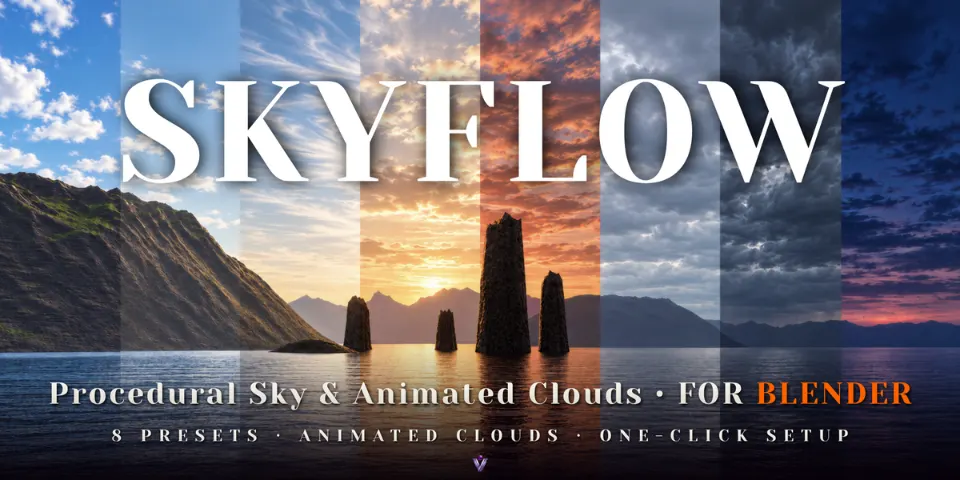
SkyFlow creates a physical sky, a Sun lamp that follows it and three layers of moving clouds, all run from one sidebar panel and all keyframable.
What is SkyFlow?
An HDRI locks the time of day and the clouds in place. For a sunset that actually progresses, or clouds that drift through a long shot, the sky has to be built from controls rather than a photo. SkyFlow sets that up in one click: a World, a Sun lamp and the drivers that link them, starting from one of eight presets.
Move Sun Elevation and the sky colors, the sun's position and the lamp's light change together. The three cloud layers sit at different relative altitudes and drift and change shape as the timeline plays. Because the result is plain nodes and standard drivers saved in the .blend file, it keeps animating and rendering on compatible Blender installations and render farms without the add-on.
What you can make with SkyFlow
Time-lapse skies
Raise wind and morph speed for fast-moving clouds, as in the 30-second coastal sunset time-lapse that comes with it.
Day to dusk in one shot
Keyframe Sun Elevation to go from midday through golden hour to dusk, with optional automatic lamp fading at sunset.
Quick exterior backdrops
Fair Weather, Clear Noon or Overcast as an editable sky behind exteriors, without hunting for a matching HDRI.
Moody weather
Storm and Sunset Drama as starting points, refined with cloud shading such as silver lining and dense-core darkening.
How it works
Choose a preset
Browse the eight presets in the thumbnail gallery, from Clear Noon and Golden Hour to Storm and Blue Hour.
Press Setup SkyFlow
The add-on creates the World, the Sun lamp and the drivers between them. Your previous World stays in the file.
Adjust and animate
Shape sunlight, haze and each cloud layer in the sidebar, keyframe any control, and render in Cycles or EEVEE.
Tips for better results
- Turn on Keep Sun Direction before switching presets to hold the sun direction, cloud rotation and cloud offset.
- Use the seed, rotation and position controls to move a cloud formation to where the composition needs it.
- The clouds are projected shader layers without positional parallax, so they suit shots without large camera moves.
- No Python auto-run is needed, so the file renders without enabling scripts.
- Blender
- 5.2
- Type
- Add-on
- Category
- Lighting & Sky
- Sold on
- Superhive
SkyFlow questions
Are the clouds volumetric?
No. They are projected shader layers. They cannot be flown through, and version 0.1 does not cast moving cloud shadows on the ground.
Which Blender versions are supported?
Blender 5.2 or newer, rendering in Cycles and EEVEE.
Do I need the add-on installed to render the file?
No. The sky is stored as nodes and standard drivers in the .blend file, so compatible Blender installations and render farms can render it without SkyFlow.
Does it include night skies?
No. There are no night or star skies; the darkest preset is Blue Hour.
Will it replace my current World?
SkyFlow creates its own World, and your previous World stays available in the file.
SkyFlow on Superhive
Animated procedural skies with a synced sun, three cloud layers and 8 presets. Cycles & EEVEE, no HDRIs needed.