Procedural woven fabric in Blender
Weave It · Procedural Fabric & Weaving
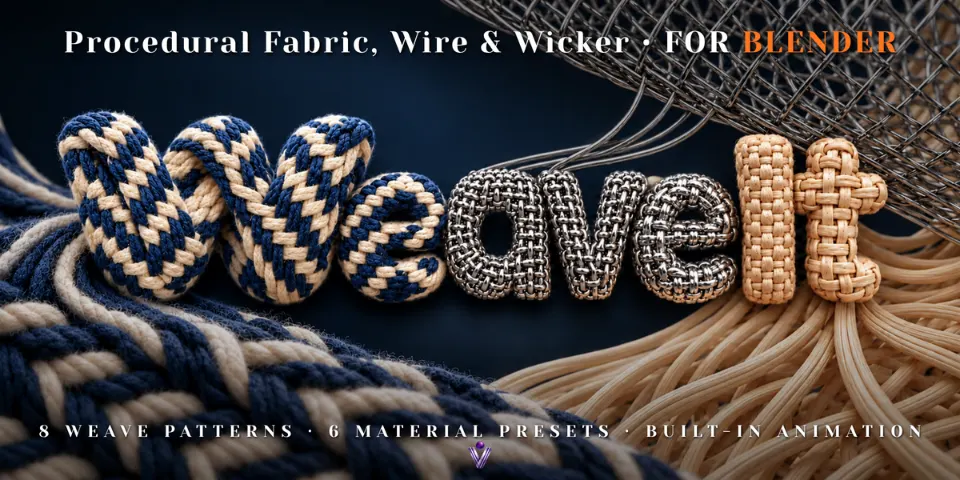
Weave It builds cloth out of actual yarns, plies and fibers, so a close-up shows the over-under structure rather than a flat texture.
What is Weave It?
A cushion or a basket textured from an image looks fine until the camera moves in. Weave It generates the structure itself: warp and weft yarns crossing in one of eight weave patterns, or interlocking loops in a jersey knit, with every yarn twisted from plies that can split into fine fibers with flyaway loops.
Everything runs through one Geometry Nodes modifier and the Weave It panel, so pattern, density, color and yarn shape stay editable. Wrap the weave onto a cushion, vase or rounded form, animate it spreading over the surface or weaving off a loom, and let the fringe and fibers move in the wind.
 WATCH THE VIDEO
What you can make with Weave It
Cushions, upholstery and screens
Twill, herringbone, satin or basket weaves with separate warp and weft colors, stripes and plaid.
Knitwear and garments
Sleeves, knitted bands and machine-knit surfaces using the Knit (Jersey) pattern, with plies, fuzz and color controls.
Wicker, wire and nets
Straw strips for rattan and baskets, Metal Mesh for reflective wire, and Knotted Net with real knots for nets and macramé.
Macro shots and animation
Fiber-level detail for close-ups, plus Grow and Loom animations that build the cloth on camera.
How it works
Start from a preset
Add Wool, Nylon, Metal Mesh, Straw, Open Weave or Knotted Net, then pick one of nine patterns and set density and colors.
Shape the yarn and wrap it
Set plies, twist, profile shape, fibers and fringe, then wrap the weave onto an object by UVs, spherically or cylindrically.
Animate
Build the cloth with Grow, Loom or Reveal, move it onto the surface with Wrap Morph, and add Wind and Ply Spin. Settings accept keyframes.
Tips for better results
- Keep Simplify Viewport on while editing; the viewport gets lighter and the render keeps full detail.
- UV wrapping places strands most evenly on a single continuous UV island with uniform scale.
- Use Spherical or Cylindrical wrapping for rounded objects that have no UVs.
- Create the Hair Curves object with the add-on's preset tools so fuzz and fringe fibers render. Cycles is recommended; yarns and hair-based fibers also work in EEVEE.
- Blender
- 5.1–5.2
- Type
- Add-on
- Category
- Geometry Nodes
- Sold on
- Superhive
Weave It questions
Is this a cloth simulation?
No. Wrapping follows the shape of the target object, but there is no cloth physics or collision calculation.
Which Blender versions are supported?
Blender 5.1 or newer. Version 1.3 is tested in Blender 5.1.2, 5.2.0 LTS and 5.2.2 LTS.
Do files made with version 1.2 still work?
Yes. Update Fabrics in the panel upgrades them and keeps their settings, and the original build animation is still available as Reveal.
Can I use my own materials?
Yes. Yarn color, random values, strand indices, fringe factors and yarn coordinates are exposed as attributes for custom shaders.
How heavy is it to render?
High strand counts, many plies and dense fibers add geometry and render cost, so match the detail level to the camera distance.
Weave It on Superhive
Procedural fabric, wire and wicker generator with 8 weave patterns plus knit, 6 presets and built-in animation.